Wednesday, July 24, 2013

Transitions

"Everything really interesting and powerful happens at borders."  --Mary Pipher


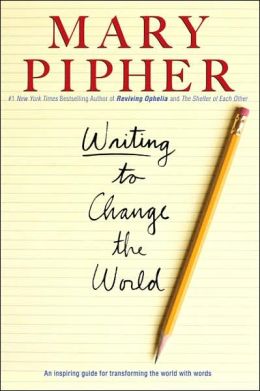
My sister returned to her home in Indianapolis today after a four-day stay at my house, during which she  gave me a copy of Mary Pipher's book on writing, which I am currently rereading.  The quote above resonated with me as I am at the border between summer and Back to Work.  I return to duty tomorrow after a brief and busy few weeks away from curriculum work.

Transitions of all sorts bring out the Irish melancholy in me that is beyond wistful wishing that time would pass more slowly.  This particular summer I have dealt with a number of "borders" over the short time I was away from the office:

  • visiting my daughter in her first new apartment in Rochester MN, so far away from us in Ohio
  • supporting as caretaker my 86-year-old aunt as she transitions into senior independent living
  • celebrating the 21st birthday of my youngest "child" 
  • exploring the healthful possibilities of a vegan diet with a brother, nephew, and good friend
  • preparing to work with a new boss, a new curriculum colleague, a new technology specialist, and many other new administrators and teachers I have yet to meet.

Each of the above tugs at memories and pushes toward horizons; and each has the potential to be "really interesting and powerful."  Each puts me in a zone of proximal development where I need to be whether I prefer it or not.


I wish for each of you the most interesting and powerful of borders between summer and a new school year, whenever your transition may be.  


Tuesday, July 9, 2013

Shorts

1.  Common Core State Standards = Ohio's New Learning Standards


2.  PARCC Assessments = Next Generation Assessments (NGA)


3.  There is nothing better in the world from a new boss than the gift of time.  Today was a good day.


Friday, July 5, 2013

Where Did I Save that File?


Eighteen months ago, the devices I owned were a thirteen-year-old Dell desktop and a flip phone.  Through a series of fortunate events, beginning with a generous Christmas gift and most recently attending training during which I received a "free" device, I now have access to that same desktop, as well as a laptop, an iPhone, an iPad, and a Chromebook.  I am at least as connected as I want to be, and sometimes more so.

One important shift I am making since beginning to use multiple devices is to learn how to save documents and sites in a place where I can get to them from any device.  I am learning this the hard way, having first endured a stage in which the file or site I needed at work was stored on my home computer or vice versa.  My outbursts of frustration while attempting to prepare a presentation without all needed resources in front of me has no doubt contributed to the sad reality that my own offspring don't want anything to do with the field of education.

I have come across two solutions to to the "where did I save that?" question.  The first is to create documents in an environment such as Google Drive, where creating a document is very, very similar to creating a document in  Microsoft Word, except it is automatically saved as you type and even better, is saved "in the cloud" where you can get to it from home, school, in-laws house, on your smart phone, etc.

Then there is the problem of accessing your bookmarked websites from a different device from where you saved them.  Social bookmarking solves this issue. Lee Lefever at Common Craft explains Social Bookmarking in Plain English in just over three minutes.  I use a social bookmarking site called Diigo rather than Delicious, as referenced in the video, because Diigo offers educator accounts.  Basically, social bookmarking works just like bookmarking sites on your computer, except your favorites are stored "in the cloud" so you can access them from any device.


Social bookmarking and Google Apps for Education (GAFE) are pillars of Web 2.0, which means they are social.  And why does this matter?  Because, to be honest, use of Google Docs and Diigo can mean far more than just finding your resources more easily.  You can share both your Google Docs and your Diigo bookmarks with just one other person (your teaching partner?) , the whole world , or anything in between. It took me some time to understand why the social aspect of these tools is useful, until I started thinking about student research. Until I thought about combining social bookmarking with RSS feeds. Until I had to prepare a presentation with colleagues--we worked together on a Google Doc without ever meeting face to face.

Recently I collaborated with teachers from my district and instructors from our local community college on an English course for remedial twelfth-graders.  Using Google Docs, we could all work on the syllabus and curriculum map together.  Or I could allow district teachers to edit the document and college instructors to view but not edit.  Further, this group could start to share resources for the course with Diigo.

It has not gone perfectly, and it won't for you either.  But there have been advantages, and with each project we all get smarter.  Do not fall into the trap of thinking everyone uses these tools efficiently and effectively except for you.  Just jump in and you will find the piece that makes your work easier.  Find the tool that excites your students and they will help you become more expert.


Tuesday, July 2, 2013

A Great Investment Opportunity

Many years ago, my dad was given the opportunity to invest in a new fast food concept--a little restaurant called Wendy's Old Fashioned Hanburgers. Having 8 children to feed and clothe, he politely refused.  That might have been his worst investment decision ever.  Where's the Beef?


I really don't want to make the same mistake.  There is a ground floor opportunity created by the demise of Google Reader, and I am determined to be in from day one.  Not as a financial investor, but as an investor in my own learning and professional development.  I've been learning about a technology called RSS, which has great potential because I can have the news and blogs that I enjoy delivered to me to read at my convenience. Whenever I see the little orange icon on a webpage, I know that I can add it to my RSS aggregator and updates from the page will come to me without me having to remember to look for them.


The folks at Common Craft explain RSS in Plain English.  Just know when you take a look at the video link that Google Reader is no longer available.  I have had good luck with an RSS Reader called Feedly.  And it is pretty easy to find ideas for RSS feed subscriptions.


RSS feeds have amazing implications for student learning too.  Potentially useful resources can be delivered to students when they create RSS subscriptions that are content-based.

One idea:  Start by going to Google News.  Search for the topic in the search box, and then create a subscription to either the search results or a useful looking site within the search results.

An entire class can follow an issue of interest such as global warming or bald eagles all through the year.  Use Google Blog Search to find blogs to add to the RSS feed.

RSS is not a new tool, just an underused one.  Why haven't I been aware of the power of RSS technology?

July 2013 is a restart moment for RSS, with the discontinuation of Google Reader.  There are plenty of RSS users who are all starting over with a new reader.  What better time to jump in?

Friday, June 28, 2013

Look what I had for supper!


Doesn't that look delicious?  #whocares
When I first signed up for a Twitter account, I had no idea how I would use it.  But I was quite sure I didn't want to update my friends on my meals.  Especially since they often look more like this:


Surely there are other great ways to use Twitter.  For example, there was this from @Kelsey_RaaRaa on April 7, 2013  "My allergies are about to kill me Thanks Obama"  (????? how is this Obama's fault?) And don't forget the multitude of messages about celebrity sightings, marriages, hookups, and fertility...
Like many who investigate Twitter, I gave up.

But this Twitter thing just isn't going away.

It was at a conference that I began to realize the power of Professional Twitter.  I could follow the Tweets from the people who were attending the two interesting sessions being held at the same time as the one I chose. Likewise, they could pick up what was going on in my session if I Tweet.  I could pick up on the buzz about upcoming sessions.  I could access resources, because in Professional Twitter, many tweets contain links to cool stuff.  I could follow on Twitter the teacher mentor rock stars I came to the conference to hear!  The "conference" would be longer lasting if I continued to follow the interesting people, famous or not, who I came across at the conference.

So I am thinking about why teachers should use Twitter.  Using Twitter is a primary way to build a professional learning network.   It's not that hard to get started.  Just follow a few professionals at first. Know that NO ONE reads every tweet from the people they follow, so manage the ambiguity and don't make yourself crazy trying to do Twitter perfectly.

Find a clear guidebook to help you.  Join a weekly chat.  Manage your account with an easy dashboard.
When  you are ready, jump in and put out your first Tweet.  You'll get better as you go.

I am @Curricmet, and once you get your account, let me know so I can follow you!
Good luck!

Friday, June 21, 2013

Don't Rely on Your Curriculum Coordinator Part II


"My, people come and go so quickly here!"  worried Dorothy Gale in the 1939 classic movie, The Wizard of Oz."  Today, I have a new boss, our new Assistant Superintendent of Curriculum.  My Curriculum Coordinator counterpart for STEM is leaving the position at the end of the work day today to become a principal.  That leaves, me, one year in, much higher on the seniority schedule in the department than I care to be.  That alone should be reason enough not to rely on Your Curriculum Coordinator.

I have come to think of central office Curriculum positions as the Wikipedia of professional development.  Wikipedia has found its niche in the landscape of acceptable resources, if only as a first start from which to link to many other legitimate sites for information gathering.

Likewise, central office curriculum people can point teachers to a variety of useful resources, events, colleagues, professional reads, blogs and websites on a variety of topics, but the development of a Personal Learning Network is ultimately the pleasant responsibility of each individual teacher.

Now, as promised, on to the last three Standards for Professional Development in Ohio.
Think about the last PD event you attended.  How would you evaluate it according to these standards?


4.  High Quality Professional Development (HQPD) includes varied learning experiences that accommodate individual educator's knowledge and skills.

  • Does professional development result in new learning for you, or is it a repetition of concepts you have mastered?
  • Does PD include varied activities such as face-to-face, reading, multimedia, creation and curation of resources, collaboration, research?

5.  HQPD is evaluated by the short and long term impact on professional practice and achievment of all students.
  • Can you connect professional development in a meaningful way to the progress and/or achievment of your students?
  • Do you have short term and long term goals that you are tracking, and are you pursuing professional development to help you along the way to those goals?

6. HQPD results in the acquisition, enhancement or refinement of skills and knowledge.
  • Are you more effective? Is your job more fun?  Do you have more energy for continuous improvement as a result of the PD events you have attended?
  • Have professional development events lit a fire in you for more of the same?

If the professional development in your life drains rather than energizes your sprit, know that a world of support, learning, and engagement awaits you when you learn to harness the resources of Web 2.0.


Thursday, June 20, 2013

Don't Rely on Your Curriculum Coordinator! Part I

Don't rely on your curriculum coordinator.  How do I know this?  Because I am a Curriculum Coordinator, and I don't rely on myself.  When it comes to your professional development, you must build an intentional network that allows you to develop expertise in the exact area in which improvements are needed.  The stakes are high and getting higher.


Think about the last professional development event you attended, by mandate or choice.  Really remember it.  Can't?  Already you have a problem.  Think now.  Do you have that event in mind?  Now evaluate it against these standards.  Brutally honest evaluation of your professional development has consequences.


The Standards for High Quality Professional Development (HQPD)

1.  HQPD is a purposeful, structured, and continuous process that occurs over time.

  • Whose purpose was served by the PD you attended?  Do you even know what your purpose is?  Are you willing to be told what your purpose is?  What do YOU think you need next?
  • Was the PD structured?  Focused?  Attended by colleagues who want to grow?
  • Is the professional development a continuous process that occurs over time?  Are you still attending one-shot-sit-and-get as your primary means of PD?

2.  HQPD is informed by multiple sources of data.
  • Do your PD events connect to the needs of your students as evidenced by test scores?
  • What data can inform your need for professional development that is NOT a test score?  Consider what you wish you could do better.  Consider what the teacher you admire does so well.  

3.  HQPD is collaborative.
  • Who is helping you get better?  Who are you helping to become more expert?  What are you creating with someone else that has meaning to you?
  • What are you learning about collaboration that can be modeled to your students?


Are you satisfied and energized by your evaluation of these first three standards above?
Standards 4,5, and 6 will be addressed in the next post.


SPOILER ALERT!
When finished with all this reflection on the standards for HQPD, it will become apparent that you need to take charge of your own learning by using the tools around you to create-your-own-professional-development.